


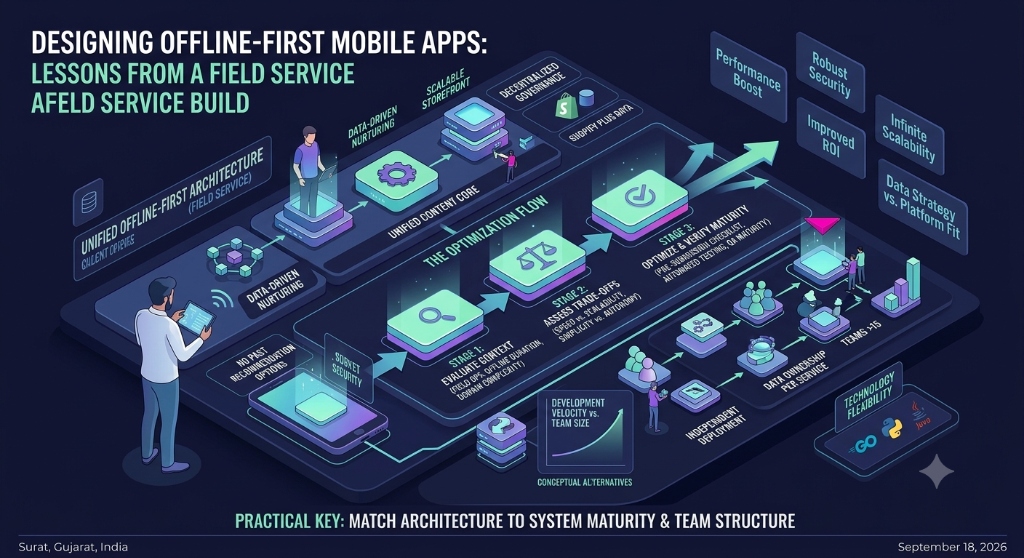

Why Offline-First Design Matters in Field-Service Mobile Apps
A field-service application is often used in places where a reliable internet connection cannot be guaranteed. Technicians may work inside buildings, remote locations, basements, industrial facilities, construction sites, or areas with unstable mobile coverage.
That changes the way a mobile application should be designed. An application that assumes every screen can call the server immediately may work well in an office or on a strong Wi-Fi connection but become frustrating when connectivity disappears.
Offline-first design starts from a different assumption: the application should continue supporting its important workflows even when the network is unavailable. The local device becomes an important part of the application's data architecture rather than simply a temporary cache.
Android's official architecture guidance describes offline-first applications as applications that can perform all or a critical subset of their functionality without network access. It also recommends using a local data source alongside the network data source for repositories that depend on network resources. Android Developers: Build an offline-first app
1. Start With the Work That Must Continue Offline
The first mistake in an offline-first project is starting with the database or synchronization mechanism before deciding what the technician actually needs to do without connectivity.
Start by listing the critical field workflows. For example, a service technician might need to:
- View assigned jobs that were already downloaded to the device.
- Open customer and equipment information required for the current assignment.
- Record inspection results.
- Add notes and measurements.
- Capture photos or supporting documents.
- Record work completed during the visit.
- Save changes while offline.
- See which changes are waiting to synchronize.
Not every feature needs to work offline. Maps that require live data, real-time messaging, external payment services, or server-side searches may require connectivity. The important point is to decide these boundaries before implementation.
2. Define the Offline Data Boundary
An offline application should not automatically download the entire server database to the device. Instead, define the smallest useful dataset required for the user's work.
For a field-service application, that might include today's assignments, relevant customer records, equipment details, open service requests, recent work history, and reference information needed to complete the job.
Microsoft's mobile offline guidance similarly recommends defining which data is available offline and using filters to control the amount of information downloaded to the device. Microsoft Learn: Best practices for developing an app for offline use
3. Treat Local Storage as Part of the Architecture
Offline-first does not mean keeping a few form values in local storage and hoping they survive a network failure. The application needs a deliberate local data layer.
A typical architecture contains:
| Layer | Responsibility |
|---|---|
| UI | Displays local application state and collects user actions. |
| Domain or business logic | Applies validation and business rules. |
| Local data source | Stores records and pending changes on the device. |
| Sync layer | Moves changes between the device and backend. |
| Remote API | Provides server-side data and receives synchronized changes. |
The exact technology can vary between Android, iOS, Flutter, React Native, or another mobile stack. The important design decision is separating local application state from direct network calls.
4. Design Reads to Work Without the Network
A common online-only pattern is to open a screen, call an API, wait for the response, and then render the data. That pattern becomes unreliable when connectivity is poor.
In an offline-first design, important reads should be able to use the local data source. The UI can display the latest available local information while synchronization happens separately.
This also gives the application a more predictable behavior. Losing connectivity does not necessarily mean every screen suddenly becomes empty or unusable.
5. Design Writes as Durable Local Operations
Writing data offline requires more than detecting whether the device currently has an internet connection.
When a technician submits a form, the application should first make sure the change is safely stored locally. The change can then enter a synchronization queue or another controlled mechanism for transmission to the backend.
A useful mental model is:
- User performs an action.
- The application validates the action locally.
- The application saves the change locally.
- The UI confirms that the change has been saved.
- The synchronization process attempts to send the change to the server.
- The server accepts, rejects, or requires resolution for the change.
- The application updates the local synchronization status.
This is more reliable than making the user's workflow depend directly on the availability of the network.
6. Make Synchronization a Visible State
Users should not have to guess whether their work has reached the server.
An offline-first application should communicate states such as:
- Saved locally.
- Waiting to sync.
- Syncing.
- Synced successfully.
- Sync failed.
- Conflict requires attention.
Microsoft's Field Service documentation describes synchronization status and sync errors as important parts of the mobile offline experience. Microsoft Learn: Configure offline data synchronization
7. Plan for Synchronization Conflicts
Synchronization becomes complicated when the same record can be changed in more than one place.
Consider a service appointment that was modified by an office employee while a technician was offline. The technician may later submit an offline update based on an older version of the record.
The system needs a defined conflict strategy rather than silently overwriting data.
Possible strategies include:
| Strategy | When it can be useful |
|---|---|
| Server wins | When server-side data must remain authoritative. |
| Latest update wins | When the business rule allows the newest accepted change to replace an older value. |
| Field-level merge | When independent fields can safely be combined. |
| Manual resolution | When losing either version could create an important business problem. |
The correct strategy depends on the business domain. A technician's completed work report may require very different conflict handling from a simple display preference.
8. Do Not Treat Network Availability as a Simple Boolean
An application can have a network connection and still fail to reach the backend. A connection can also be slow, unstable, or interrupted during a request.
For that reason, application behavior should be based on actual operation results rather than only a green online indicator.
Useful states include connected, disconnected, syncing, sync failed, and server unavailable. The application should also be able to recover when connectivity returns without forcing the user to repeat completed work.
9. Control Initial Data Download
Offline functionality depends on having useful data on the device before the user loses connectivity.
The initial synchronization therefore needs careful planning. Downloading too little data makes the offline workflow incomplete. Downloading too much increases storage use, synchronization time, and potentially the amount of sensitive information stored on the device.
A practical approach is to define an offline profile around the user's actual assignments and workflows rather than copying every available record.
10. Protect Data Stored on the Device
Offline-first architecture changes the security boundary because application data may remain on a physical device for longer than it would in a purely online application.
Before storing sensitive information locally, decide:
- Which records genuinely need to be available offline.
- How long those records should remain on the device.
- What happens when a user logs out.
- What happens when the device is replaced or lost.
- Whether locally stored data requires additional protection.
- Which fields should never be stored offline.
Offline availability should therefore be treated as both an architecture decision and a security decision.
11. Design for Photos and Large Attachments Carefully
Field-service applications frequently collect photographs, signatures, documents, or other attachments. These files can consume substantially more storage and bandwidth than ordinary text records.
The application should define how attachments are stored locally, when they are compressed, when they are uploaded, and how failed uploads are retried.
It is also useful to show attachment synchronization status separately when a technician needs to know whether a photo or document has actually reached the server.
12. Build Retry Logic Without Creating Duplicates
A synchronization request may fail after the server has already processed the operation. If the mobile application blindly retries the same request, the backend could create duplicate records.
For important write operations, design the API and synchronization layer around idempotency or another mechanism that lets the backend recognize repeated submissions safely.
This is especially important for actions such as creating service reports, submitting completed jobs, recording payments, or uploading important documents.
13. Test the Failure Conditions Deliberately
Offline-first behavior should not be tested only by switching airplane mode on once and checking whether a screen opens.
Test the transitions that can actually happen in the field:
- Start online and load the required data.
- Disconnect before opening a workflow.
- Disconnect while entering data.
- Save a record while offline.
- Reconnect after several pending changes exist.
- Interrupt synchronization midway.
- Retry after a synchronization failure.
- Change the same record from another system while the device is offline.
- Restart the application with pending changes.
- Log out and verify the expected local-data behavior.
Testing these transitions exposes problems that a simple online/offline test often misses.
14. Keep the User Informed Without Interrupting the Workflow
Synchronization should be visible but should not force the user to understand the entire backend architecture.
A small status indicator, pending count, last-sync timestamp, and clear error message can provide enough information for most users.
When user action is required, explain what happened and what the user should do next. Avoid technical messages such as raw HTTP errors or database exceptions.
15. A Practical Offline-First Architecture Checklist
- Identify the workflows that must continue without connectivity.
- Define the minimum dataset required for those workflows.
- Choose a persistent local storage mechanism appropriate for the data.
- Separate local data access from remote API access.
- Make important reads available from local data.
- Persist offline writes before attempting synchronization.
- Define a synchronization queue or equivalent mechanism.
- Define retry behavior for failed operations.
- Design for duplicate-safe writes.
- Define conflict-resolution rules.
- Show synchronization status to users.
- Control which sensitive data is stored on the device.
- Define attachment storage and upload behavior.
- Test network loss during reads, writes, and synchronization.
- Test application restart with pending changes.
- Define what happens to local data during logout, device replacement, or account changes.